NamSys Emblem

Plan the whole day at once

Pick a depot, a day of the week and the number of trucks. Cirreon assigns the day’s stops to trucks and puts each route in order, working within the depot’s start and return times, every stop’s service windows and the time each stop takes.

Plans run in the background and arrive by email when they’re done. A stop that can’t fit comes back with a plain-English reason, and every run is kept in the optimization history.

Cover more with less

Serve the same stops with less drive time and distance, and compare stops, distance and time before and after every change.

See problems before crews do

Missed service windows and stops that won’t fit are flagged with a reason while you plan, not discovered on the road.

Change routes with confidence

Try changes side by side in the route lab and undo any of them. Nothing reaches a manifest until you publish it.

Fine-tune in the route lab

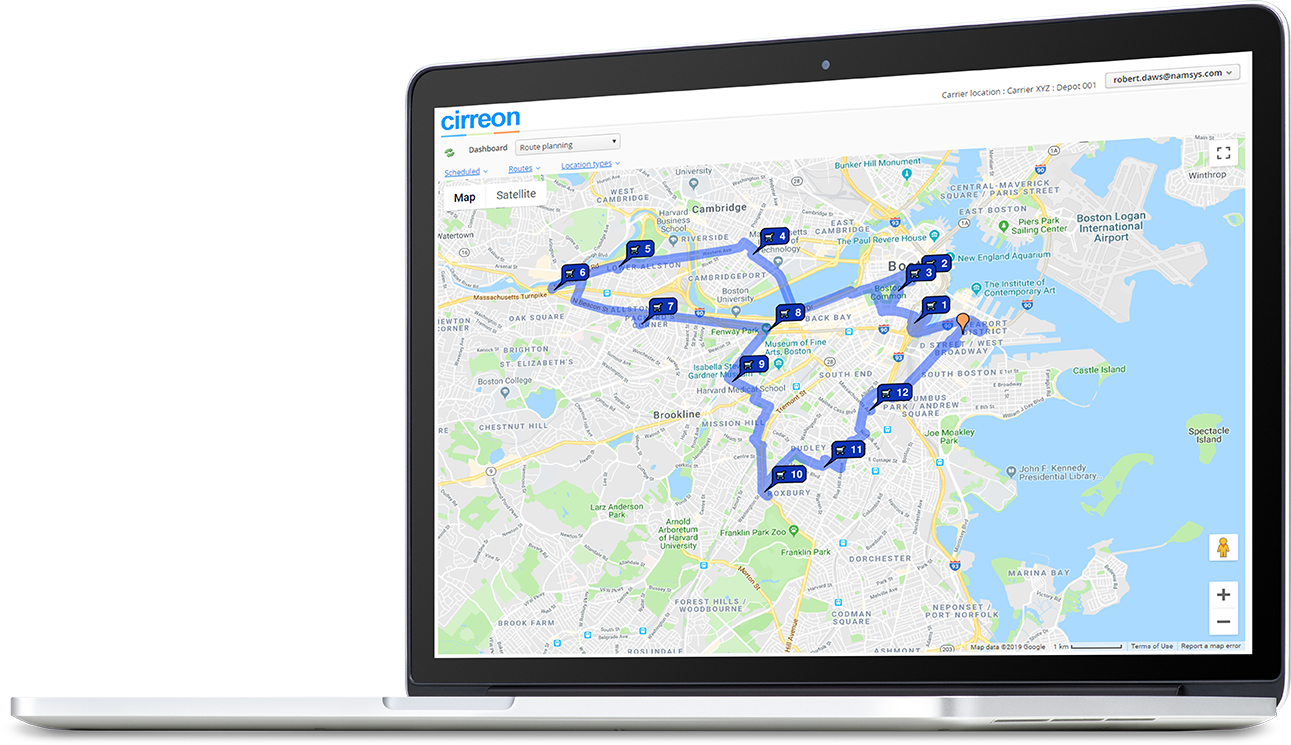
Open a plan in the route lab to work on up to eight routes side by side, with a map. Drag stops between routes, re-optimize or re-estimate any of them, and see stops, distance and time against where you started.

  • Undo and redo every change, or reset a route to its last saved version.
  • Test copies of live routes, so you can experiment without touching the real thing.
  • What-if stops uploaded from a spreadsheet, for planning around a prospective customer.
  • Schedule checks on save, and a publish step that puts the route into service.
  • Plans printed to PDF or exported to Excel.
Cirreon route planning map with numbered stops
See it with your stops

Book a demo and we’ll walk you through planning a day of routes like yours.

Request a demo

Built for the way cash routes run

Cirreon plans on Esri ArcGIS road networks and geocodes addresses with Google Maps, then applies the rules that matter to an armored carrier.

Service windows

Give each stop up to two service windows a day. Any arrival that would miss one is flagged, with the reason.

Realistic stop times

Set how long a customer, ATM, bank branch or vault stop takes, and the plan allows for it. Stops without a set time use their scheduled time.

Pickups before drop-offs

Each pickup is sequenced ahead of its drop-off at the bank vault that verifies or fills it.

Curbside arrivals

Trucks approach each stop on the curb side, in left- or right-hand traffic, with no U-turns and no ferries.

Exclusion zones

Draw areas trucks must avoid on the map, permanently or for a date range, such as a road closure or an event.

Your planning rules

Keep several stops at one site in your order, such as the drive-through ATM before the lobby machines. Merge branch stops, include main vaults or cluster routes by area.

Ready when the day changes

Routes keep up with the work after the trucks leave the depot.

Re-optimize in one click

Re-sequence the stops still pending on a manifest, review the new order and save it.

Add stops without starting over

Slot new stops into existing routes, and every route keeps its other stops in the same order.

Arrival times that keep up

As crews report each stop from the messenger app, Cirreon re-estimates the arrivals that follow. Alerts flag late arrivals, missed stops and stops serviced out of order or outside their window.

Route Optimization plans the routes you run in Cirreon CIT. Add Cirreon Accounting to see what each route earns, with revenue, wage and truck costs, and profit per mile and per hour.

Book a demo